8 Best Ryzen AI Mini PCs: They Optimize High-End Tasks
Small box, BIG neural horsepower — which Ryzen AI mini will run your local LLM without melting the desk?
LOCAL AI THAT FITS ON A BOOKSHELF. Tiny chassis. Desktop-class throughput. These minis push inference and content work beyond what a laptop can handle.
It’s the era of pocket-sized nodes. Readers get high TOPS, large unified memory pools, and slick I/O in compact, quiet boxes. No rack? No problem.
Top Picks
<


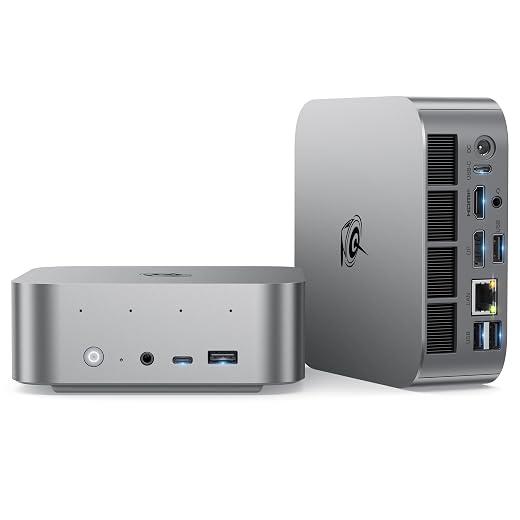


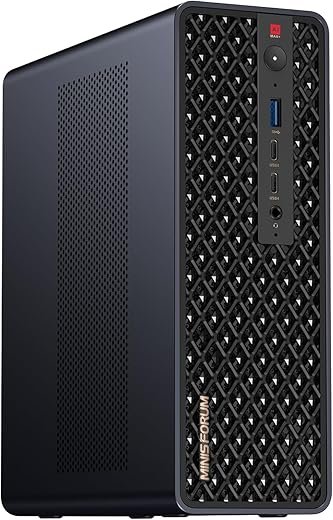
MINISFORUM MS-S1 MAX AI Workstation Compact
Engineered for local AI workloads and heavy content creation, this unit delivers a rare combination of high TOPS, large unified memory, PCIe expansion and dual 10GbE in a compact chassis. It’s effectively a desktop-class node for researchers and pros who need portable clustering.
Hero
A compact but uncompromising AI workstation that places high-end APU horsepower, massive unified memory, and enterprise I/O inside a small chassis. It’s targeted at professionals who need to run large local models, heavy inference tasks, or dense multi-node clusters without a full server rack.
Quick summary
The MS-S1 MAX pairs a Ryzen AI Max+ 395 APU (Zen 5 CPU + RDNA 3.5 + 50 TOPS NPU) with up to 128GB LPDDR5x UMA, dual M.2, PCIe x16 expansion, USB4 v2 (80Gbps) and dual 10GbE. That combination makes it one of the most capable small form-factor systems for AI inference, workstation graphics, and clustered compute nodes.
Technical breakdown
This unit is designed to run large client LLMs and multimodal models locally and to be clustered for larger tasks. The UMA architecture reduces VRAM bottlenecks for memory-hungry models; paired with PCIe expansion it can function as a flexible node for hybrid GPU/CPU workloads.
Real-world use cases
Pros / Cons (practical lens)
Final verdict
The Minisforum MS-S1 MAX occupies a unique niche: it’s for professionals who need workstation- or small-server-class AI capability without a full rack. It outpaces other mini PCs here in raw AI throughput and expansion potential, making it the top recommendation for researchers, studios and teams that need local, high-performance inference and the ability to scale via clustering.
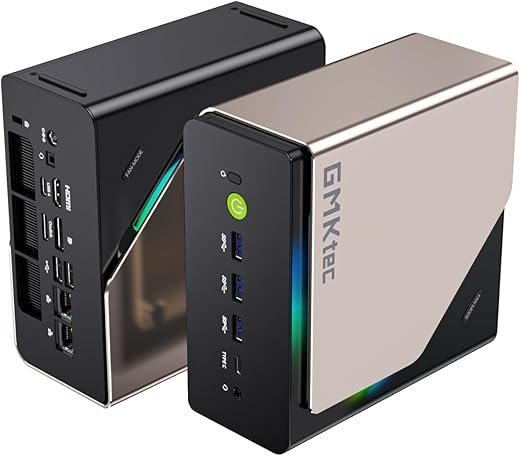
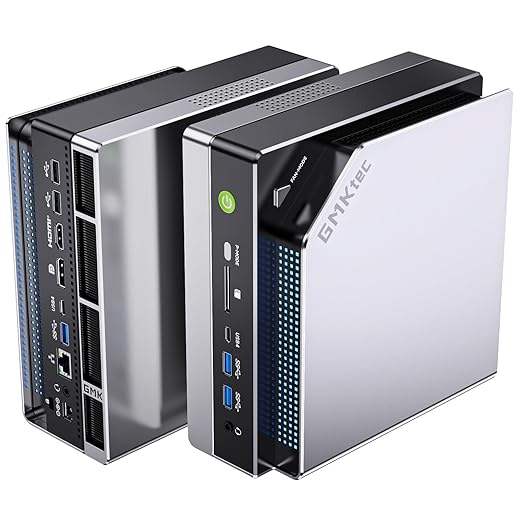
GMKtec EVO-X2 128GB AI Mini Powerhouse
Among small form-factor systems, this unit delivers exceptional AI and graphics capability via the Ryzen AI Max+ 395 and a huge 128GB LPDDR5X pool. It is tuned for local LLM workloads, large inference tasks, and high-throughput creative workflows.
Hero
A high-end mini PC engineered around AMD’s Ryzen AI Max+ 395 and a massive LPDDR5X memory pool to deliver workstation-class AI inference and creative throughput in a compact chassis. It’s aimed at pros who need the fastest possible on‑device LLM inference without going to discrete GPU servers.
Quick summary
The EVO-X2 (128GB) couples the Ryzen AI Max+ 395 with 128GB LPDDR5X (eight-channel), a 2TB PCIe 4.0 SSD, and a 40-CU RDNA 3.5 iGPU. With quad 8K-capable outputs, USB4, Wi‑Fi7 and robust cooling, it’s one of the most capable consumer-available SFF machines for AI and high-resolution creative work.
Technical breakdown
Practically, the unified 128GB pool allows the system to allocate significant memory to the iGPU for very large model offload and high-resolution framebuffers. That capability differentiates it from traditional NVidia-based systems where VRAM is a hard limit; however, tooling and OS support dictate how effectively that pool is used.
Real-world use cases
Pros / Cons (practical lens)
Final verdict
The GMKtec EVO-X2 (128GB) is arguably the most capable consumer mini PC for on-device AI inference and advanced creative work in this roundup. It outperforms mainstream mini PCs for large-model work but requires acceptance of its price and soldered-memory trade-offs. For buyers who need maximal UMA headroom without a full server rack, it’s a top recommendation.
GMKtec EVO-X2 96GB AI Mini Workstation
Delivers most of the EVO-X2 high-end experience with a 96GB LPDDR5X pool — ideal for users who want large-model inference capability without the top-tier 128GB premium. It balances performance, price and I/O for advanced local AI and content workflows.
Hero
A slightly more cost-conscious variant of GMKtec's EVO-X2 that maintains much of the platform's AI and graphics capability while reducing the unified memory allocation compared with the 128GB model. It’s aimed at pros who run sizable LLMs locally but can accept a slightly smaller memory pool.
Quick summary
The 96GB EVO-X2 uses the same Ryzen AI Max+ 395 APU and RDNA 3.5 integrated GPU as the larger sibling, with high-bandwidth LPDDR5X at 8000MT/s, a 2TB PCIe 4.0 SSD, and advanced cooling. It supports quad 8K-capable outputs, dual USB4, 2.5GbE and Wi‑Fi7, making it a very capable compact workstation and AI inference node.
Technical breakdown
In practice, the 96GB pool supports very large quantized models and delivers excellent throughput for local inference and creative workloads. Some users have reported BIOS or firmware constraints on how much of that pool can be allocated to GPU VRAM, which can require vendor patches.
Real-world use cases
Pros / Cons (practical lens)
Final verdict
The GMKtec EVO-X2 96GB is a high-value option when comparing raw AI/creative throughput to price. It sits just below the 128GB model in absolute headroom but provides a more approachable price point while preserving the vast majority of the platform’s capabilities. Buyers should validate vendor firmware and warranty or consider the 128GB variant if absolute maximum model sizing is required.
HP Z2 Mini G1a Professional Workstation
A compact, rack-friendly workstation optimized for enterprise workflows with vetted security and manageability. It blends Ryzen AI Max PRO performance with ISV stability and rack density features not commonly found in consumer mini PCs.
Hero
A professional mini workstation from HP built for IT and creative professionals who need compact, certified hardware that integrates into managed racks or desktop fleets. It emphasizes reliability, certified drivers and enterprise security over bleeding-edge consumer features.
Quick summary
The Z2 Mini G1a uses AMD Ryzen AI Max PRO silicon, paired with integrated Radeon 8050S graphics, up to 32GB DDR5 (configurable) and a 1TB NVMe SSD. It supports rack mounting for density and is packaged with enterprise-focused software and security features, making it a logical choice for studios and businesses.
Technical breakdown
The HP Z2 Mini is a pragmatic choice where vendor support, ISV certification (CAD/3D/CAE), and rack density are priorities. It offers proven stability for mission-critical workflows and integrates into IT environments with management and security policies in place.
Real-world use cases
Pros / Cons (practical lens)
Final verdict
The HP Z2 Mini G1a is the right pick for businesses and creative teams that need a compact, supported workstation with rackability and enterprise services. For maximum local AI TOPS or hobbyist experimentation, Minisforum and GMKtec models provide more raw compute, but HP’s platform wins on manageability and ISV assurance.
Beelink SER9 AI Mini Desktop Powerhouse
A compact system that balances CPU/GPU performance, I/O breadth, and on-board audio for desktop replacement duties. It excels at multitasking, light-to-moderate content creation and triple-display productivity while remaining quieter than many rivals.
Hero
Compact desktop-class Ryzen AI performance intended for buyers who want high CPU core counts and plentiful I/O in a small footprint. The unit targets knowledge workers, creators on the go, and users who need many displays without a discrete GPU.
Quick summary
The system pairs a 12-core AMD Ryzen AI 9 HX 370 with 32GB LPDDR5X and a 1TB PCIe 4.0 SSD. It balances compute and connectivity: USB4, HDMI, DP, triple 4K display support, 2.5G Ethernet, Wi‑Fi 6, and onboard speakers/microphone make it a tidy all-in-one desktop replacement. Compared to higher-end AI-focused minis in this list, it trades peak AI TOPS for a better price-to-performance ratio.
Technical breakdown
The platform excels in multi-threaded workstation tasks (compilation, rendering, heavy multitasking) and performs respectably in GPU-light content workflows such as H.264/H.265 editing accelerated by integrated Radeon. It is not aimed at GPU-bound training or large local LLM inference workloads that require discrete VRAM.
Real-world use cases
Pros / Cons (practical lens)
Final verdict
This Beelink model is a sensible purchase for professionals who need desktop-class CPU performance in a small chassis and wide I/O without the cost or power draw of a discrete GPU. For heavier AI model hosting or large-scale GPU tasks, buyers should consider the higher-end Minisforum or GMKtec entries in this roundup; for most knowledge-work and creator workflows the SER9 represents a balanced value.
Beelink SER9 Pro+ Compact Creator Workstation
Focused on throughput and latency-sensitive tasks, this model pairs the H255 Ryzen variant with 32GB LPDDR5X and PCIe4 storage for responsive editing and gaming. It fits users who want a quiet, high-refresh multi-display mini PC without a discrete GPU.
Hero
A compact mini PC focused on low latency and bandwidth — ideal for creative professionals and competitive gamers who prioritize display refresh and responsiveness. It is positioned between consumer mini PCs and workstation-class AI boxes.
Quick summary
Powered by the Ryzen 7 H255 (upgrade of 8745HS) and 32GB LPDDR5X at 7500MT/s, the SER9 Pro+ targets snappy UI performance, fast project scrubbing, and smooth multi-monitor setups. It supports triple-display 4K outputs and a full-featured USB4 port suitable for high-bandwidth docking.
Technical breakdown
This configuration favors creators who need low-latency editing and smooth playback of high-refresh content, plus streamers who want high-refresh HDR output. While it cannot match discrete-GPU machines for large-scale GPU ML training, its Ryzen AI feature helps offload specific acceleration tasks.
Real-world use cases
Pros / Cons (practical lens)
Final verdict
For buyers who need a compact machine that feels fast in daily use and supports high-refresh displays and content creation, this Beelink Pro+ is a strong contender. If the priority is maximum AI TOPS, consider Minisforum or GMKtec models; if the priority is low-latency editing with broad I/O, this model is a compelling middle ground.
GEEKOM A7 MAX Compact Creative Workstation
Designed for creators who need compact performance, flexible expansion and pro-grade connectivity. It offers a solid Ryzen 9 HS APU, USB4 ports for high-speed peripherals, and a creator-friendly SD slot while remaining competitively priced.
Hero
A compact, aluminum-chassis mini PC tailored to creators and small studios that need a reliable Ryzen 9 mobile APU and pro-level I/O. It targets users who value high-bandwidth external devices through USB4 and an SD card workflow.
Quick summary
The A7 MAX pairs the Ryzen 9 7940HS with Radeon 780M graphics, 16GB DDR5 (one slot free), and a 1TB PCIe Gen4 SSD. It emphasizes connectivity—dual USB4, multiple video outputs, dual 2.5G LAN and a UHS-II SD slot—making it a practical desktop replacement for photo and video creators who also rely on external GPUs or storage.
Technical breakdown
The A7 MAX is stronger in lightweight to moderate content creation (DaVinci Resolve, Premiere, Photoshop) than many compact PCs thanks to Ryzen AI acceleration for certain codecs. However, its real-world throughput depends heavily on implementing dual-channel RAM for maximum GPU and memory-bandwidth utilization.
Real-world use cases
Pros / Cons (practical lens)
Final verdict
The GEEKOM A7 MAX is a pragmatic choice where connectivity and balanced CPU/GPU performance matter more than raw AI TOPS. For users prioritizing local large-model inference or highest TOPS per dollar, the Minisforum or GMKtec systems in this list offer higher raw AI capability; for creators looking for an out-of-the-box workstation with excellent external device support, the A7 MAX is one of the best mid-range options.
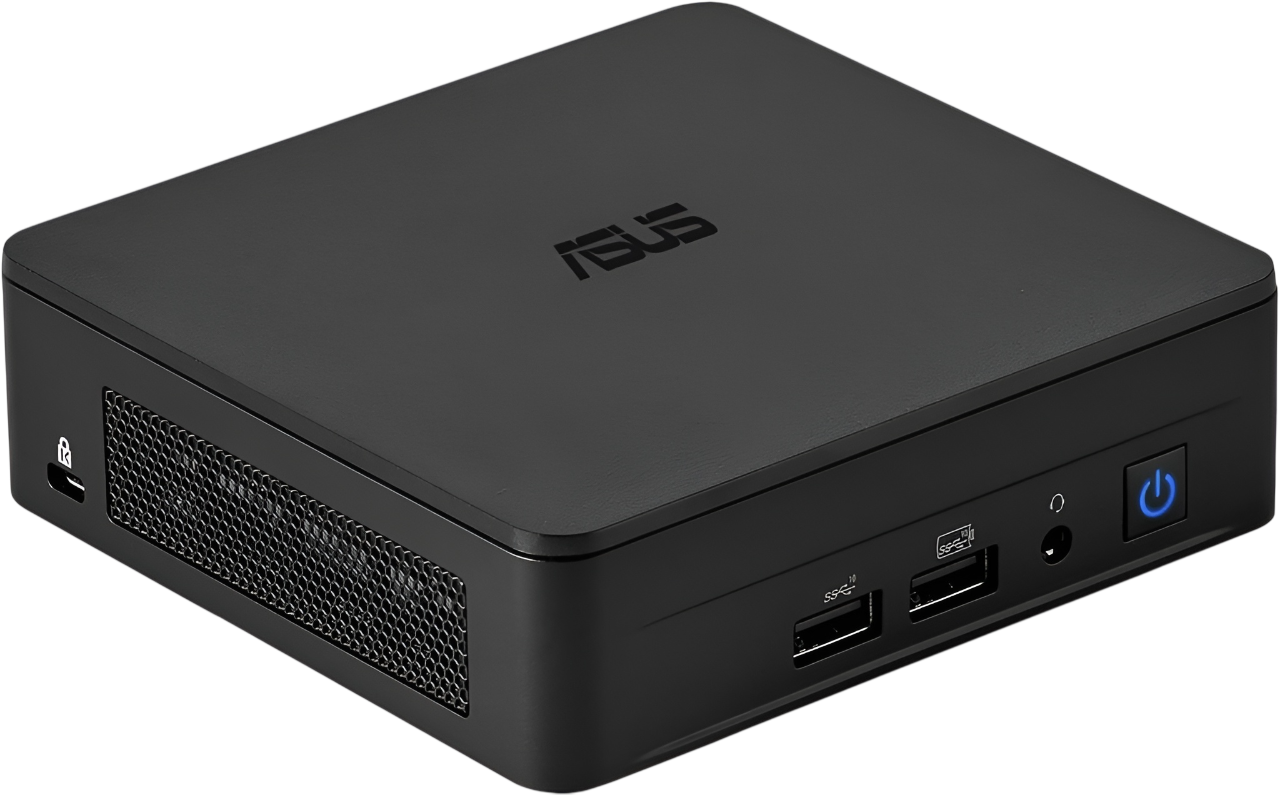
ASUS ExpertCenter PN54 Barebone Mini PC
A toolless, enterprise-minded barebone intended for businesses and IT deployments that want a compact, serviceable mini PC. It focuses on security, manageability and flexible storage rather than peak AI TOPS or gaming performance.
Hero
A compact, professionally-focused barebone mini PC built for IT-managed environments where security, manageability and physical serviceability matter. It’s an attractive option for SMBs that need a small footprint node with modern connectivity.
Quick summary
The ExpertCenter PN54 is a barebones chassis configured for AMD Ryzen AI 300-series processors, offering XDNA2 NPU acceleration, DDR5 support and dual storage. Because it’s a barebone, buyers add RAM and storage to match needs — giving flexibility but adding procurement overhead compared with fully configured units in this roundup.
Technical breakdown
This product emphasizes security (hardware TPM), easy serviceability (toolless access), and long-term reliability for always-on office deployments. It’s optimized for responsive desktop experiences, Copilot/MS365 integration and light AI-accelerated tasks, not for heavy local LLM inference.
Real-world use cases
Pros / Cons (practical lens)
Final verdict
ASUS's PN54 is an excellent choice for organizations that need configurable hardware with modern connectivity and security. For buyers focused on local large-model AI workflows or high-end workstation rendering, the Minisforum and GMKtec entries provide superior raw compute; for managed IT and SMB deployment scenarios this model is one of the most practical choices in the roundup.
hero
This roundup compares eight Ryzen AI mini PCs that aim to move local AI and creative workloads out of the data center and onto the desktop. It focuses on where each unit shines: raw TOPS and memory bandwidth, I/O and expansion, and noise/thermal behavior for sustained workloads.
quick summary
technical breakdown (concise)
real-world use cases
pros / cons (headline bullets)
Final Thoughts
Top pick for AI researchers and pros: MINISFORUM MS-S1 MAX AI Workstation Compact. It delivers the rare mix of high TOPS, PCIe expansion and dual 10GbE in a small chassis, which makes it the best choice for sustained local inference, portable clustering, and workflows that need desktop-class I/O. Choose this when expandability, network throughput and thermal headroom matter.
Top pick for large-model inference and heavy local LLMs: GMKtec EVO-X2 128GB AI Mini Powerhouse. Its 128GB LPDDR5X pool and tuned Ryzen AI Max+ silicon make it the go-to for running large models without swapping or losing batch throughput. Choose this when model memory capacity and raw unified bandwidth are the priority.
Runner-up / budget-minded high-memory option: GMKtec EVO-X2 96GB — nearly identical real-world performance for most large-model tasks at a lower cost.
In short: MINISFORUM MS-S1 MAX for expansion, networking and sustained throughput; GMKtec EVO-X2 128GB for maximum local-model capacity. Both are the most defensible choices for pros buying a high-performance Ryzen AI mini today.