8 Best Ryzen AI Mini PCs: They Optimize High-End Tasks
Best Mini PCs
Deal Score+4
Deal Score+4

Small box, BIG neural horsepower — which Ryzen AI mini will run your local LLM without melting the desk?

LOCAL AI THAT FITS ON A BOOKSHELF. Tiny chassis. Desktop-class throughput. These minis push inference and content work beyond what a laptop can handle.

It’s the era of pocket-sized nodes. Readers get high TOPS, large unified memory pools, and slick I/O in compact, quiet boxes. No rack? No problem.

📋 Free: Mini PC Buying Cheatsheet The 7-question framework we use to pick the right mini PC. Instant download.
Get Free Cheatsheet →

Top Picks

<
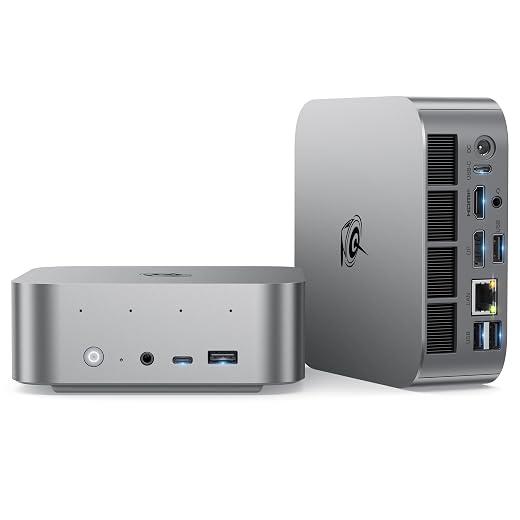
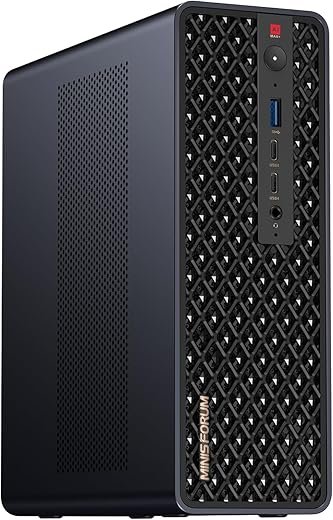
MINISFORUM MS-S1 MAX AI Workstation Compact
Premium
MINISFORUM MS-S1 MAX AI Workstation Compact
Top-tier small form-factor AI workstation
9.8
Amazon.com
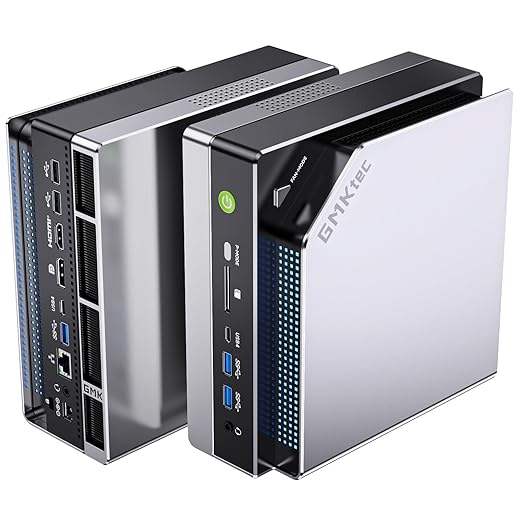
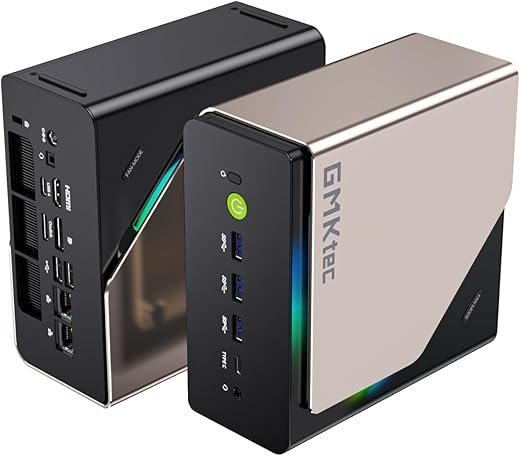
GMKtec EVO-X2 128GB AI Mini Powerhouse
Must-Have
GMKtec EVO-X2 128GB AI Mini Powerhouse
Top performer for local AI and heavy multitasking
9.6
Amazon.com
GMKtec EVO-X2 96GB AI Mini Workstation
Best Value
GMKtec EVO-X2 96GB AI Mini Workstation
High-performance AI mini with large unified memory
9.3
Amazon.com
HP Z2 Mini G1a Professional Workstation
Premium
HP Z2 Mini G1a Professional Workstation
Rackable mini workstation for pro environments
9.0
Amazon.com
Beelink SER9 AI Mini Desktop Powerhouse
Strong all-round Ryzen AI compact performer
8.6
Amazon.com
Beelink SER9 Pro+ Compact Creator Workstation
High-bandwidth LPDDR5X for creators and gamers
8.5
Amazon.com
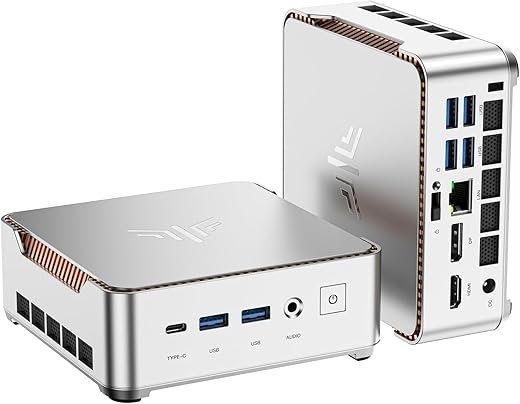
GEEKOM A7 MAX Compact Creative Workstation
Editor's Choice
GEEKOM A7 MAX Compact Creative Workstation
Balanced creator-focused mini with USB4 and SD
8.4
Amazon.com
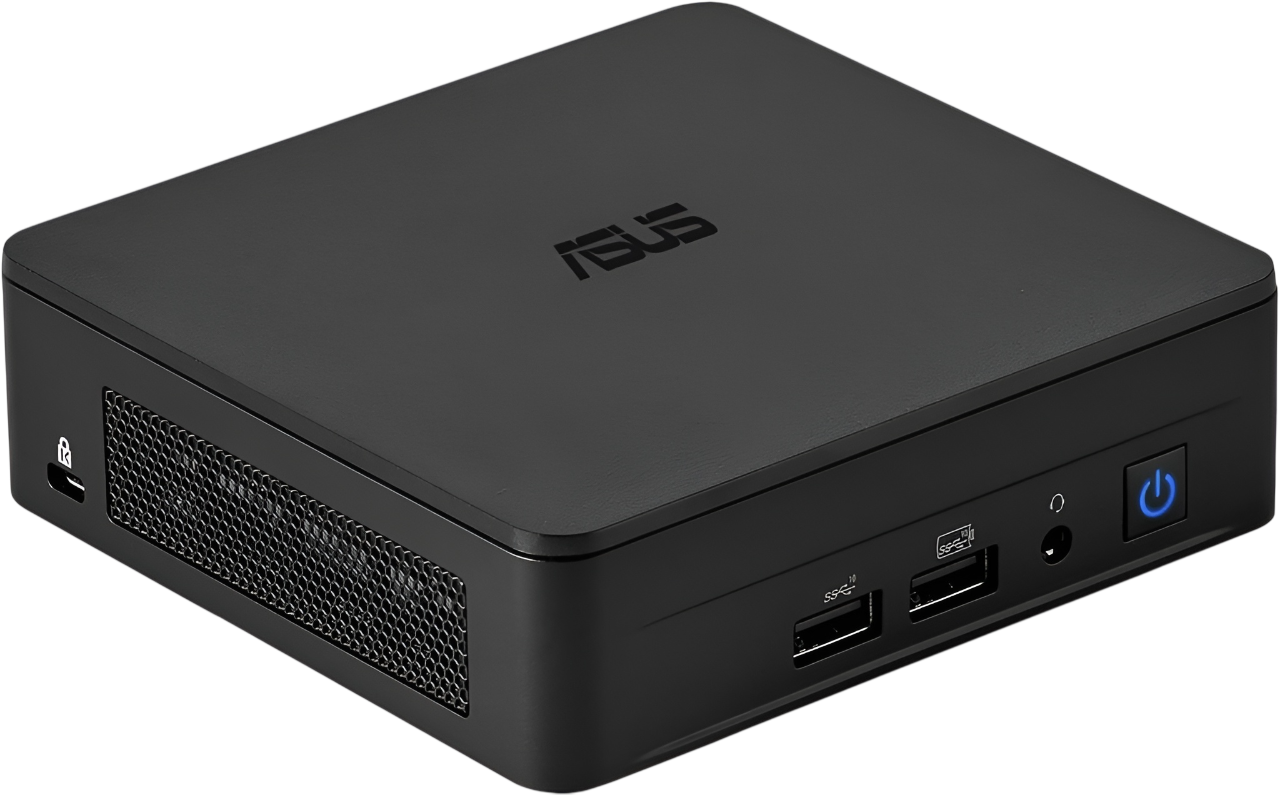
ASUS ExpertCenter PN54 Barebone Mini PC
Compact barebone for SMBs and remote workers
8.0
Amazon.com
Highest Price
$3,399.99 Amazon.com
July 5, 2026
Lowest Price
$629.10 Amazon.com
July 25, 2026
Current Price
Amazon.com
February 27, 2026
Since February 27, 2026
!– /wp:greenshift-blocks/heading –>
1
MINISFORUM MS-S1 MAX AI Workstation Compact
Premium
MINISFORUM MS-S1 MAX AI Workstation Compact
Top-tier small form-factor AI workstation
9.8
Amazon.com
2
GMKtec EVO-X2 128GB AI Mini Powerhouse
Must-Have
GMKtec EVO-X2 128GB AI Mini Powerhouse
Top performer for local AI and heavy multitasking
9.6
Amazon.com
3
GMKtec EVO-X2 96GB AI Mini Workstation
Best Value
GMKtec EVO-X2 96GB AI Mini Workstation
High-performance AI mini with large unified memory
9.3
Amazon.com
4
HP Z2 Mini G1a Professional Workstation
Premium
HP Z2 Mini G1a Professional Workstation
Rackable mini workstation for pro environments
9
Amazon.com
5
Beelink SER9 AI Mini Desktop Powerhouse
Strong all-round Ryzen AI compact performer
8.6
Amazon.com
6
Beelink SER9 Pro+ Compact Creator Workstation
High-bandwidth LPDDR5X for creators and gamers
8.5
Amazon.com
7
GEEKOM A7 MAX Compact Creative Workstation
Editor's Choice
GEEKOM A7 MAX Compact Creative Workstation
Balanced creator-focused mini with USB4 and SD
8.4
Amazon.com
8
ASUS ExpertCenter PN54 Barebone Mini PC
Compact barebone for SMBs and remote workers
8
Amazon.com

Premium
1

MINISFORUM MS-S1 MAX AI Workstation Compact

Top-tier small form-factor AI workstation
9.8/10
URIVIO Score

Engineered for local AI workloads and heavy content creation, this unit delivers a rare combination of high TOPS, large unified memory, PCIe expansion and dual 10GbE in a compact chassis. It’s effectively a desktop-class node for researchers and pros who need portable clustering.

Pros
Ryzen AI Max+ 395 with 126 TOPS system output and RDNA 3.5 GPU
128GB LPDDR5x UMA dramatically reduces memory bottlenecks for LLMs
PCIe x16 slot, USB4 v2 (80Gbps), dual 10GbE and robust expansion
Built-in 320W PSU and enterprise-focused certifications and modes
Cons
Premium price point reflects workstation-tier hardware
Some users report BIOS and driver limits for certain workflows

Hero

A compact but uncompromising AI workstation that places high-end APU horsepower, massive unified memory, and enterprise I/O inside a small chassis. It’s targeted at professionals who need to run large local models, heavy inference tasks, or dense multi-node clusters without a full server rack.

Quick summary

The MS-S1 MAX pairs a Ryzen AI Max+ 395 APU (Zen 5 CPU + RDNA 3.5 + 50 TOPS NPU) with up to 128GB LPDDR5x UMA, dual M.2, PCIe x16 expansion, USB4 v2 (80Gbps) and dual 10GbE. That combination makes it one of the most capable small form-factor systems for AI inference, workstation graphics, and clustered compute nodes.

Technical breakdown

AMD Ryzen AI Max+ 395: 16C/32T Zen 5 CPU, RDNA 3.5 GPU, 50 TOPS NPU (system ~126 TOPS)
128GB LPDDR5x-8000 UMA for shared CPU/GPU memory bandwidth and low latency
PCIe x16 slot for discrete GPUs, USB4 v2 (80Gbps), dual 10GbE, HDMI 2.1 up to 8K60
320W internal PSU, advanced cooling with six heat pipes and dual turbine fans

This unit is designed to run large client LLMs and multimodal models locally and to be clustered for larger tasks. The UMA architecture reduces VRAM bottlenecks for memory-hungry models; paired with PCIe expansion it can function as a flexible node for hybrid GPU/CPU workloads.

Real-world use cases

Running and fine-tuning local LLMs up to ~70B-130B parameters (depending on quantization and model tooling).
Studio-level video editing, heavy 3D rendering, and simulation workloads that benefit from unified high-bandwidth memory.
Enterprise edge AI deployments or multi-node clusters where density and serviceability are important.

Pros / Cons (practical lens)

Pros: industry leading UMA memory in an SFF, enterprise I/O and expansion, cluster-friendly features
Cons: significant upfront cost; some workflows require BIOS/OS tuning for maximum efficiency

Final verdict

The Minisforum MS-S1 MAX occupies a unique niche: it’s for professionals who need workstation- or small-server-class AI capability without a full rack. It outpaces other mini PCs here in raw AI throughput and expansion potential, making it the top recommendation for researchers, studios and teams that need local, high-performance inference and the ability to scale via clustering.


Must-Have
2

GMKtec EVO-X2 128GB AI Mini Powerhouse

Top performer for local AI and heavy multitasking
9.6/10
URIVIO Score

Among small form-factor systems, this unit delivers exceptional AI and graphics capability via the Ryzen AI Max+ 395 and a huge 128GB LPDDR5X pool. It is tuned for local LLM workloads, large inference tasks, and high-throughput creative workflows.

Pros
Ryzen AI Max+ 395 with large UMA memory enables big-model inference
128GB LPDDR5X (eight-channel) provides exceptional bandwidth for AI/VRAM-like tasks
Radeon 8060S-class integrated GPU suitable for high-fidelity gaming and editing
Quad 8K-capable display outputs, USB4 and Wi‑Fi7 for modern connectivity
Cons
High price point and soldered memory mean commitment at purchase
Some firmware/driver limitations reported for maximum VRAM allocation

Hero

A high-end mini PC engineered around AMD’s Ryzen AI Max+ 395 and a massive LPDDR5X memory pool to deliver workstation-class AI inference and creative throughput in a compact chassis. It’s aimed at pros who need the fastest possible on‑device LLM inference without going to discrete GPU servers.

Quick summary

The EVO-X2 (128GB) couples the Ryzen AI Max+ 395 with 128GB LPDDR5X (eight-channel), a 2TB PCIe 4.0 SSD, and a 40-CU RDNA 3.5 iGPU. With quad 8K-capable outputs, USB4, Wi‑Fi7 and robust cooling, it’s one of the most capable consumer-available SFF machines for AI and high-resolution creative work.

Technical breakdown

Ryzen AI Max+ 395: 16 Zen 5 cores, integrated RDNA 3.5 GPU, large XDNA NPU
128GB LPDDR5X 8000MT/s in unified memory configuration; 2TB PCIe 4.0 storage
Dual USB4, HDMI 2.1, DP1.4, 2.5GbE, Wi‑Fi7, SD4.0 reader and advanced triple-fan cooling

Practically, the unified 128GB pool allows the system to allocate significant memory to the iGPU for very large model offload and high-resolution framebuffers. That capability differentiates it from traditional NVidia-based systems where VRAM is a hard limit; however, tooling and OS support dictate how effectively that pool is used.

Real-world use cases

Local hosting of client LLMs with quantized models in LM Studio or llama.cpp for on-site inference and development.
4K/8K video editing and color grading where high memory bandwidth reduces stutter and improves playback performance.
Compact gaming and streaming rigs that can also double as an AI testbed for researchers.

Pros / Cons (practical lens)

Pros: unmatched UMA bandwidth in SFF, strong integrated GPU, modern high-bandwidth I/O and comprehensive connectivity
Cons: price and non-upgradable soldered memory; some users report BIOS limits on maximum VRAM allocation that require vendor patches or workarounds

Final verdict

The GMKtec EVO-X2 (128GB) is arguably the most capable consumer mini PC for on-device AI inference and advanced creative work in this roundup. It outperforms mainstream mini PCs for large-model work but requires acceptance of its price and soldered-memory trade-offs. For buyers who need maximal UMA headroom without a full server rack, it’s a top recommendation.


Best Value
3

GMKtec EVO-X2 96GB AI Mini Workstation

High-performance AI mini with large unified memory
9.3/10
URIVIO Score

Delivers most of the EVO-X2 high-end experience with a 96GB LPDDR5X pool — ideal for users who want large-model inference capability without the top-tier 128GB premium. It balances performance, price and I/O for advanced local AI and content workflows.

Pros
Ryzen AI Max+ 395 with substantial UMA memory for big-model inference
Strong integrated RDNA 3.5 GPU capable of high-fidelity gaming and editing
Comprehensive I/O including USB4, Wi‑Fi7, SD4.0, and quad display outputs
Cons
Soldered memory and occasional firmware quirks affecting maximum VRAM allocation
Mixed QA reports (dead-on-arrival incidents reported by some buyers)

Hero

A slightly more cost-conscious variant of GMKtec's EVO-X2 that maintains much of the platform's AI and graphics capability while reducing the unified memory allocation compared with the 128GB model. It’s aimed at pros who run sizable LLMs locally but can accept a slightly smaller memory pool.

Quick summary

The 96GB EVO-X2 uses the same Ryzen AI Max+ 395 APU and RDNA 3.5 integrated GPU as the larger sibling, with high-bandwidth LPDDR5X at 8000MT/s, a 2TB PCIe 4.0 SSD, and advanced cooling. It supports quad 8K-capable outputs, dual USB4, 2.5GbE and Wi‑Fi7, making it a very capable compact workstation and AI inference node.

Technical breakdown

Ryzen AI Max+ 395 APU, 16 cores (32 threads), RDNA 3.5 integrated GPU
96GB LPDDR5X unified memory, 2TB PCIe 4.0 NVMe storage, dual M.2 expansion
USB4, HDMI 2.1, DP1.4, SD 4.0, Wi‑Fi7 and advanced triple-fan cooling

In practice, the 96GB pool supports very large quantized models and delivers excellent throughput for local inference and creative workloads. Some users have reported BIOS or firmware constraints on how much of that pool can be allocated to GPU VRAM, which can require vendor patches.

Real-world use cases

Researchers and developers running quantized LLMs locally for testing and inference with good token throughput.
Content creators and editors using high-resolution timelines with responsive scrubbing due to high memory bandwidth.
Power users who need a compact machine that can double as a gaming rig and an AI testbed.

Pros / Cons (practical lens)

Pros: excellent memory bandwidth for SFF, broad modern I/O, strong integrated GPU performance
Cons: warranty and QA variance reported by some buyers; soldered RAM limits post-purchase flexibility

Final verdict

The GMKtec EVO-X2 96GB is a high-value option when comparing raw AI/creative throughput to price. It sits just below the 128GB model in absolute headroom but provides a more approachable price point while preserving the vast majority of the platform’s capabilities. Buyers should validate vendor firmware and warranty or consider the 128GB variant if absolute maximum model sizing is required.


Premium
4

HP Z2 Mini G1a Professional Workstation

Rackable mini workstation for pro environments
9/10
URIVIO Score

A compact, rack-friendly workstation optimized for enterprise workflows with vetted security and manageability. It blends Ryzen AI Max PRO performance with ISV stability and rack density features not commonly found in consumer mini PCs.

Pros
Workstation-class design with enterprise security (HP Wolf Pro) and ISV support
Rackable form factor and internal power supply for dense deployments
Supports up to 4x 4K displays and professional-grade connectivity
Cons
Higher cost relative to consumer mini PCs with similar raw specs
Less geared toward hobbyist AI experimentation and more toward managed IT

Hero

A professional mini workstation from HP built for IT and creative professionals who need compact, certified hardware that integrates into managed racks or desktop fleets. It emphasizes reliability, certified drivers and enterprise security over bleeding-edge consumer features.

Quick summary

The Z2 Mini G1a uses AMD Ryzen AI Max PRO silicon, paired with integrated Radeon 8050S graphics, up to 32GB DDR5 (configurable) and a 1TB NVMe SSD. It supports rack mounting for density and is packaged with enterprise-focused software and security features, making it a logical choice for studios and businesses.

Technical breakdown

AMD Ryzen AI Max PRO processor with NPU acceleration for office and light AI tasks
Configurable DDR5 memory, NVMe storage, integrated Radeon 8050S graphics
Rackable 4U density support, internal PSU, multiple display outputs and enterprise-grade security stack

The HP Z2 Mini is a pragmatic choice where vendor support, ISV certification (CAD/3D/CAE), and rack density are priorities. It offers proven stability for mission-critical workflows and integrates into IT environments with management and security policies in place.

Real-world use cases

Studios needing certified workstation hardware for 3D CAD, rendering and DCC applications with vendor support.
Dense rack deployments in labs and classrooms where multiple minis are provisioned across racks.
Corporate VDI or workstation consolidation initiatives where manageability and security are required.

Pros / Cons (practical lens)

Pros: enterprise support and security, rackable design for high-density deployments, certified drivers for professional apps
Cons: higher acquisition cost, less flexibility for hobbyist-level AI experimentation compared with open consumer mini PCs

Final verdict

The HP Z2 Mini G1a is the right pick for businesses and creative teams that need a compact, supported workstation with rackability and enterprise services. For maximum local AI TOPS or hobbyist experimentation, Minisforum and GMKtec models provide more raw compute, but HP’s platform wins on manageability and ISV assurance.


5

Beelink SER9 AI Mini Desktop Powerhouse

Strong all-round Ryzen AI compact performer
8.6/10
URIVIO Score

A compact system that balances CPU/GPU performance, I/O breadth, and on-board audio for desktop replacement duties. It excels at multitasking, light-to-moderate content creation and triple-display productivity while remaining quieter than many rivals.

Pros
12-core Ryzen AI HX 370 delivers strong multi-threaded performance
32GB LPDDR5X + dual PCIe 4.0 NVMe for fast storage and responsiveness
Triple-display 4K output and integrated Radeon 890M for casual gaming
Comprehensive I/O including USB4, 2.5G LAN, Wi‑Fi6 and built-in speakers/mic
Cons
Integrated graphics limit serious GPU-bound workflows
Mixed reports on long-term software stability and Windows updates

Hero

Compact desktop-class Ryzen AI performance intended for buyers who want high CPU core counts and plentiful I/O in a small footprint. The unit targets knowledge workers, creators on the go, and users who need many displays without a discrete GPU.

Quick summary

The system pairs a 12-core AMD Ryzen AI 9 HX 370 with 32GB LPDDR5X and a 1TB PCIe 4.0 SSD. It balances compute and connectivity: USB4, HDMI, DP, triple 4K display support, 2.5G Ethernet, Wi‑Fi 6, and onboard speakers/microphone make it a tidy all-in-one desktop replacement. Compared to higher-end AI-focused minis in this list, it trades peak AI TOPS for a better price-to-performance ratio.

Technical breakdown

12-core / 24-thread Ryzen AI HX 370 with up to 5.1GHz boost
32GB LPDDR5X (soldered) and dual M.2 PCIe 4.0 x4 SSD slots (1TB included)
Integrated Radeon 890M (16-core) supporting triple 4K outputs and 4K120/60Hz playback
USB4, USB 3.2, HDMI, DP, 2.5G LAN, Wi‑Fi 6 and Bluetooth 5.2

The platform excels in multi-threaded workstation tasks (compilation, rendering, heavy multitasking) and performs respectably in GPU-light content workflows such as H.264/H.265 editing accelerated by integrated Radeon. It is not aimed at GPU-bound training or large local LLM inference workloads that require discrete VRAM.

Real-world use cases

Office and multi-monitor trading or developer work where many windows and browser tabs are the norm.
Light 3D work, photo editing, and 4K video playback; can handle modest Premiere timelines with smart rendering but will plateau on very large projects.
Casual gaming at 1080p / medium settings and as a compact streaming/recording box when paired with external capture hardware.

Pros / Cons (practical lens)

Pros: compact footprint, strong multi-core CPU, extensive I/O, quiet operation under moderate loads
Cons: integrated GPU limits heavy GPU workloads, a few user reports indicate occasional Windows stability issues after updates

Final verdict

This Beelink model is a sensible purchase for professionals who need desktop-class CPU performance in a small chassis and wide I/O without the cost or power draw of a discrete GPU. For heavier AI model hosting or large-scale GPU tasks, buyers should consider the higher-end Minisforum or GMKtec entries in this roundup; for most knowledge-work and creator workflows the SER9 represents a balanced value.


6

Beelink SER9 Pro+ Compact Creator Workstation

High-bandwidth LPDDR5X for creators and gamers
8.5/10
URIVIO Score

Focused on throughput and latency-sensitive tasks, this model pairs the H255 Ryzen variant with 32GB LPDDR5X and PCIe4 storage for responsive editing and gaming. It fits users who want a quiet, high-refresh multi-display mini PC without a discrete GPU.

Pros
Fast LPDDR5X 7500MT/s memory and dual NVMe expansion
Ryzen 7 H255 with Ryzen AI for accelerated workloads
USB4, 4K@240Hz capable outputs and near‑silent operation
Built-in mic with AI noise reduction and dual speakers for conferencing
Cons
Integrated Radeon 780M not a substitute for high-end discrete GPUs
Soldered memory limits field upgrades compared with SODIMM designs

Hero

A compact mini PC focused on low latency and bandwidth — ideal for creative professionals and competitive gamers who prioritize display refresh and responsiveness. It is positioned between consumer mini PCs and workstation-class AI boxes.

Quick summary

Powered by the Ryzen 7 H255 (upgrade of 8745HS) and 32GB LPDDR5X at 7500MT/s, the SER9 Pro+ targets snappy UI performance, fast project scrubbing, and smooth multi-monitor setups. It supports triple-display 4K outputs and a full-featured USB4 port suitable for high-bandwidth docking.

Technical breakdown

AMD Ryzen 7 H255 (8C/16T) with integrated Radeon 780M (RDNA 3)
32GB LPDDR5X 7500MT/s (soldered), 1TB PCIe 4.0 x4 SSD with a secondary M.2 slot
USB4 (40Gbps), HDMI, DP1.4, 2.5GbE, Wi‑Fi6 and AI-assisted mic noise reduction
Advanced MSC2.0 cooling enabling 65W TDP at ~32dB noise

This configuration favors creators who need low-latency editing and smooth playback of high-refresh content, plus streamers who want high-refresh HDR output. While it cannot match discrete-GPU machines for large-scale GPU ML training, its Ryzen AI feature helps offload specific acceleration tasks.

Real-world use cases

Editors doing multi-cam or 4K60 timelines with responsive scrubbing and quick exports for short to mid-length projects.
Developers and data scientists evaluating smaller local LLMs or running inference tasks that fit within UMA constraints.
Office users who need high-refresh monitors for finance, trading, or competitive multitasking.

Pros / Cons (practical lens)

Pros: very fast system responsiveness, excellent display output options, near-silent cooling at common loads
Cons: not suitable for large local LLM training; limited upgrade path for memory compared with SODIMM-based mini PCs

Final verdict

For buyers who need a compact machine that feels fast in daily use and supports high-refresh displays and content creation, this Beelink Pro+ is a strong contender. If the priority is maximum AI TOPS, consider Minisforum or GMKtec models; if the priority is low-latency editing with broad I/O, this model is a compelling middle ground.


Editor's Choice
7

GEEKOM A7 MAX Compact Creative Workstation

Balanced creator-focused mini with USB4 and SD
8.4/10
URIVIO Score

Designed for creators who need compact performance, flexible expansion and pro-grade connectivity. It offers a solid Ryzen 9 HS APU, USB4 ports for high-speed peripherals, and a creator-friendly SD slot while remaining competitively priced.

Pros
Ryzen 9 7940HS delivers strong single- and multi-threaded performance
Dual USB4 (40Gbps) and multiple display outputs for pro workflows
User-upgradeable DDR5 slot and available three-year warranty
UHS‑II SD card slot and dual 2.5G LAN for creators and small studios
Cons
Base 16GB in single-channel configuration can bottleneck until upgraded
Power brick required (no USB-C power-only option)

Hero

A compact, aluminum-chassis mini PC tailored to creators and small studios that need a reliable Ryzen 9 mobile APU and pro-level I/O. It targets users who value high-bandwidth external devices through USB4 and an SD card workflow.

Quick summary

The A7 MAX pairs the Ryzen 9 7940HS with Radeon 780M graphics, 16GB DDR5 (one slot free), and a 1TB PCIe Gen4 SSD. It emphasizes connectivity—dual USB4, multiple video outputs, dual 2.5G LAN and a UHS-II SD slot—making it a practical desktop replacement for photo and video creators who also rely on external GPUs or storage.

Technical breakdown

AMD Ryzen 9 7940HS (8C/16T, up to 5.2GHz) with Radeon 780M iGPU
16GB DDR5 (single-channel) with additional SODIMM slot upgradable to 128GB
1TB PCIe Gen4 x4 SSD, UHS-II SD card slot, dual 40Gbps USB4 ports
Dual 2.5GbE, Wi‑Fi 6/BT, IceBlast 2.0 cooling with dust-cleaning mechanism

The A7 MAX is stronger in lightweight to moderate content creation (DaVinci Resolve, Premiere, Photoshop) than many compact PCs thanks to Ryzen AI acceleration for certain codecs. However, its real-world throughput depends heavily on implementing dual-channel RAM for maximum GPU and memory-bandwidth utilization.

Real-world use cases

Photographers who offload cards via the UHS-II slot and edit in Lightroom/Photoshop.
Video editors working short to medium timelines who use USB4 external SSDs or eGPUs for accelerated exports.
Small office or home studio deployments requiring reliable networking and long warranty coverage.

Pros / Cons (practical lens)

Pros: modern high-bandwidth I/O, strong APU performance, good warranty and certifications for enterprise use
Cons: single-channel RAM in base config reduces GPU headroom; physical power-brick requirement limits USB-C power flexibility

Final verdict

The GEEKOM A7 MAX is a pragmatic choice where connectivity and balanced CPU/GPU performance matter more than raw AI TOPS. For users prioritizing local large-model inference or highest TOPS per dollar, the Minisforum or GMKtec systems in this list offer higher raw AI capability; for creators looking for an out-of-the-box workstation with excellent external device support, the A7 MAX is one of the best mid-range options.


8

ASUS ExpertCenter PN54 Barebone Mini PC

Compact barebone for SMBs and remote workers
8/10
URIVIO Score

A toolless, enterprise-minded barebone intended for businesses and IT deployments that want a compact, serviceable mini PC. It focuses on security, manageability and flexible storage rather than peak AI TOPS or gaming performance.

Pros
Toolless chassis access and VESA-friendly 0.6L design
Hardware TPM, Wi‑Fi 7 and dual 2.5G LAN for secure deployments
Good I/O mix and Energy-efficient platform for 24/7 operation
Cons
Sold as barebone — RAM and storage must be purchased separately
Less suitable for heavy AI model hosting or high-end content creation

Hero

A compact, professionally-focused barebone mini PC built for IT-managed environments where security, manageability and physical serviceability matter. It’s an attractive option for SMBs that need a small footprint node with modern connectivity.

Quick summary

The ExpertCenter PN54 is a barebones chassis configured for AMD Ryzen AI 300-series processors, offering XDNA2 NPU acceleration, DDR5 support and dual storage. Because it’s a barebone, buyers add RAM and storage to match needs — giving flexibility but adding procurement overhead compared with fully configured units in this roundup.

Technical breakdown

Designed for Ryzen AI 300-series processors and XDNA2 NPU (up to 50 TOPS depending on SKU)
Dual-channel DDR5 support (user-populated), dual storage bays, Wi‑Fi 7 and Bluetooth 5.4
Multiple display outputs that can address up to four 4K displays, 6 USB ports and dual 2.5G Ethernet

This product emphasizes security (hardware TPM), easy serviceability (toolless access), and long-term reliability for always-on office deployments. It’s optimized for responsive desktop experiences, Copilot/MS365 integration and light AI-accelerated tasks, not for heavy local LLM inference.

Real-world use cases

Enterprise desktop replacement in dense office setups or VESA-mounted kiosks.
Remote/branch office machines that require hardware security and manageable upgrades.
Lightweight content creation and media playback in meeting rooms or point-of-sale systems.

Pros / Cons (practical lens)

Pros: well-built chassis, enterprise-grade connectivity and security features, flexible procurement as barebones
Cons: initial cost increases when adding RAM and storage; not optimized for high-TOPS AI model hosting

Final verdict

ASUS's PN54 is an excellent choice for organizations that need configurable hardware with modern connectivity and security. For buyers focused on local large-model AI workflows or high-end workstation rendering, the Minisforum and GMKtec entries provide superior raw compute; for managed IT and SMB deployment scenarios this model is one of the most practical choices in the roundup.


hero

This roundup compares eight Ryzen AI mini PCs that aim to move local AI and creative workloads out of the data center and onto the desktop. It focuses on where each unit shines: raw TOPS and memory bandwidth, I/O and expansion, and noise/thermal behavior for sustained workloads.

quick summary

MINISFORUM MS-S1 MAX AI Workstation Compact — Highest-rated, desktop-class AI node with PCIe expansion and dual 10GbE.
GMKtec EVO-X2 128GB AI Mini Powerhouse — Massive 128GB LPDDR5X, tuned for large-model inference and heavy multitasking.
GMKtec EVO-X2 96GB AI Mini Workstation — Most of the EVO experience at a better price; large-memory inference workhorse.
HP Z2 Mini G1a Professional Workstation — Rackable, ISV-vetted, enterprise manageability and PRO-class stability.
Beelink SER9 AI Mini Desktop Powerhouse — Balanced performer for multitasking and light-to-moderate content creation.
Beelink SER9 Pro+ Compact Creator Workstation — Low-latency LPDDR5X for responsive editing and high-refresh displays.
GEEKOM A7 MAX Compact Creative Workstation — Good creator value with USB4 and SD slot for fast peripherals.
ASUS ExpertCenter PN54 Barebone Mini PC — Enterprise barebone focused on serviceability, security and deployability.

technical breakdown (concise)

MINISFORUM MS-S1 MAX: Desktop-class topology. High TOPS for inference, large unified memory options, full PCIe expansion and dual 10GbE for clustering or high-throughput I/O. Good thermal headroom for sustained loads.
GMKtec EVO-X2 128GB: Ryzen AI Max+ 395 variant with 128GB LPDDR5X. Exceptional memory capacity and bandwidth for large LLMs and high-concurrency inference. Tuned GPU/AIE throughput.
GMKtec EVO-X2 96GB: Same platform as 128GB but with 96GB LPDDR5X — nearly identical throughput for many models at lower cost.
HP Z2 Mini G1a: Ryzen AI Max PRO with enterprise firmware, ISV checks, rack density features, and management stacks — ideal for pro shops and IT.
Beelink SER9: Balanced Ryzen AI configuration, broad I/O, good audio and triple-display support; quieter thermal tuning.
Beelink SER9 Pro+: H255 Ryzen variant, 32GB LPDDR5X, PCIe4 storage; optimized for low-latency editing and high-refresh displays without discrete GPU.
GEEKOM A7 MAX: Ryzen 9 HS APU, USB4, SD slot; versatile for creators who value peripheral bandwidth and compact expandability.
ASUS ExpertCenter PN54: Barebone layout, toolless servicing, business-class manageability; not optimized for peak AI TOPS but excellent for remote/SMB deployments.

real-world use cases

Local LLM development and inference (12B+ models): GMKtec EVO-X2 128GB or 96GB — large unified memory avoids frequent swap and keeps batch sizes high.
Research clusters and portable nodes: MINISFORUM MS-S1 MAX — PCIe expansion and dual 10GbE let it join rack or edge clusters and sustain throughput.
Enterprise VDI / managed workloads: HP Z2 Mini G1a — ISV stability, security features and rackability for IT shops.
Creative editing and multi-display work: Beelink SER9 / SER9 Pro+ and GEEKOM A7 MAX — responsive storage and I/O with quieter acoustics.
SMB deployments and kiosks: ASUS ExpertCenter PN54 — easy maintenance and secure, manageable platform.

pros / cons (headline bullets)

MINISFORUM MS-S1 MAX
  • Pros: Highest expandability (PCIe), dual 10GbE, strong TOPS, desktop-class thermal headroom.
  • Cons: Larger and pricier than ultra-compact minis; overkill if only light inference is needed.
GMKtec EVO-X2 128GB
  • Pros: Massive LPDDR5X pool, tuned for large LLMs, excellent multitasking and creative throughput.
  • Cons: Premium price; limited advantage for workflows that cap at <32–48GB.
GMKtec EVO-X2 96GB
  • Pros: Most of 128GB value at lower cost; excellent for large-model inference under budget constraints.
  • Cons: Slightly less headroom for the very largest models or extreme batch sizes.
HP Z2 Mini G1a
  • Pros: Enterprise manageability, ISV support, rack density options.
  • Cons: Less memory headroom than EVO models; tuned more for stability than bleeding-edge TOPS.
Beelink SER9
  • Pros: Quiet operation, solid all-round performance, multiple-display support.
  • Cons: Not as memory-dense as top EVO or MINISFORUM units.
Beelink SER9 Pro+
  • Pros: Low-latency LPDDR5X, PCIe4 storage; great for responsive editing.
  • Cons: Limited to 32GB in common configs — not for large LLM inference workloads.
GEEKOM A7 MAX
  • Pros: USB4, SD slot, strong value for creators, compact.
  • Cons: Less raw AI TOPS than the highest-tier Ryzen AI Max+ boxes.
ASUS ExpertCenter PN54
  • Pros: Serviceable barebone, secure and manageable for SMBs.
  • Cons: Not optimized for peak AI inference or very large-model local training.

Final Thoughts

Top pick for AI researchers and pros: MINISFORUM MS-S1 MAX AI Workstation Compact. It delivers the rare mix of high TOPS, PCIe expansion and dual 10GbE in a small chassis, which makes it the best choice for sustained local inference, portable clustering, and workflows that need desktop-class I/O. Choose this when expandability, network throughput and thermal headroom matter.

Top pick for large-model inference and heavy local LLMs: GMKtec EVO-X2 128GB AI Mini Powerhouse. Its 128GB LPDDR5X pool and tuned Ryzen AI Max+ silicon make it the go-to for running large models without swapping or losing batch throughput. Choose this when model memory capacity and raw unified bandwidth are the priority.

Runner-up / budget-minded high-memory option: GMKtec EVO-X2 96GB — nearly identical real-world performance for most large-model tasks at a lower cost.

In short: MINISFORUM MS-S1 MAX for expansion, networking and sustained throughput; GMKtec EVO-X2 128GB for maximum local-model capacity. Both are the most defensible choices for pros buying a high-performance Ryzen AI mini today.

Urivio
Reviewed by
Urivio
Mini PC hardware, Linux, AI inference · 4 years

Find the best UK price on this mini PC Compare Prices →
Urivio
Logo
Compare items
  • Total (0)
Compare
0
Shopping cart