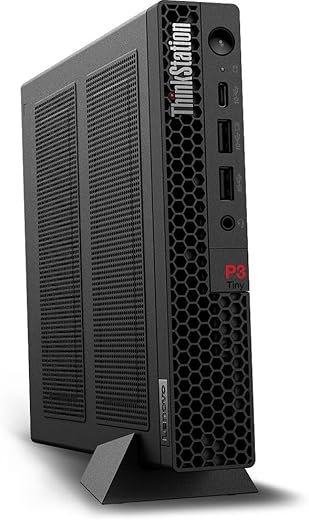
Lenovo ThinkStation P360 Tiny — Mini Workstation, Major Muscle
CPU-first tiny workstation: great for dense workspaces and responsive workflows, not for heavy GPU compute.
Modern workstations force a trade-off: desks and dense deployments are tight, but workloads still demand recent-generation CPU performance, fast memory, NVMe responsiveness, and robust I/O. Buyers often end up juggling bulky towers or underpowered mini-PCs when what they really need is a compact, manageable machine that won’t bottleneck everyday engineering, creative, or office tasks.
The Lenovo ThinkStation P360 Tiny addresses that gap by packing an Intel i5-12500, DDR5 memory, and a PCIe NVMe SSD into a roughly 3-pound chassis with modern connectivity like HDMI 2.1, multiple 10Gbps USB ports, Wi‑Fi 6, and Bluetooth 5.1. It delivers strong single- and multi-threaded performance for responsive work, though its Iris Xe integrated graphics and limited internal expansion make it a better fit when footprint and responsiveness matter more than heavy discrete-GPU compute.
ThinkStation P360 Tiny — i5-12500 DDR5 Workstation

A compact, performance-focused tiny workstation that balances recent-generation CPU power with modern I/O for office, creative, and engineering tasks. It excels where footprint, responsiveness, and manageability matter more than discrete-GPU compute.
Hero
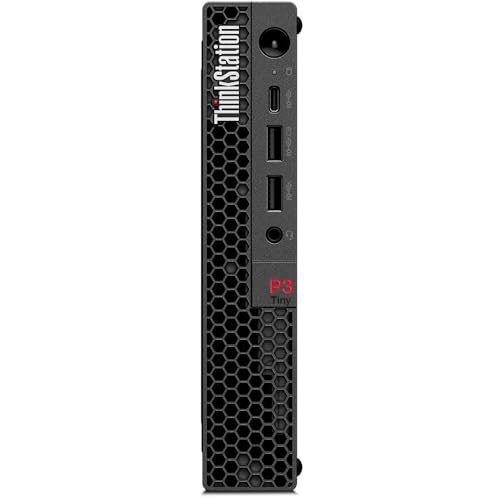
Lenovo ThinkStation P360 Tiny Tiny is a small-form-factor workstation engineered to deliver professional compute in the footprint of a compact desktop. Targeted at architects, engineers, developers, and office power users, this 2024 configuration pairs a 6-core Intel i5-12500 with 16GB DDR5 RAM and a 512GB NVMe SSD running Windows 11 Pro. It keeps workstation-grade manageability and connectivity while dramatically reducing desk real estate and operational noise.
Quick summary
This configuration prioritizes CPU responsiveness and modern connectivity over discrete GPU performance. It suits multitasking, compilation, data analysis, content editing at moderate resolutions, and terminal/office-heavy workflows. Lenovo’s Tiny chassis keeps thermals balanced for sustained loads, and the inclusion of HDMI 2.1 and multiple 10Gbps USB ports makes it a flexible hub for peripherals and external GPUs where needed.
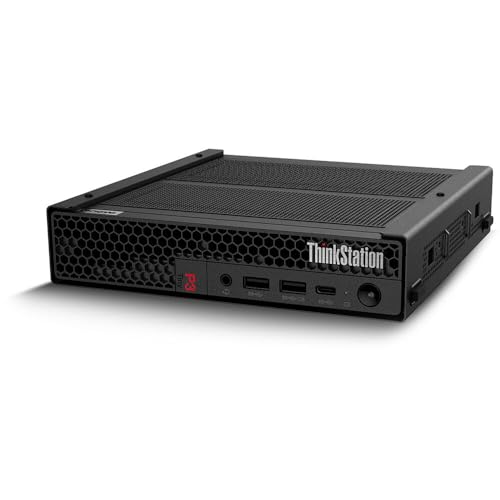

Technical breakdown
Below is a focused look at the hardware that defines the P360 Tiny’s strengths and limitations.
Processor and memory
Storage and OS
Lenovo ThinkStation P360 Tiny : Graphics
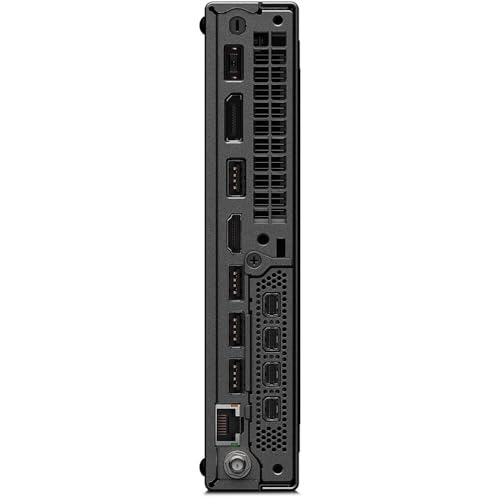
Connectivity and I/O
Physical and serviceability
Below is a comparison table against two close alternatives to highlight where it sits in the market:
| Category | P360 Tiny (this unit) | Typical Mini-PC (e.g., NUC-class) | Small Workstation Tower (e.g., compact Dell Precision) |
|---|---|---|---|
| CPU class | i5-12500 (6c/12t) | Varies (often U-series) | H-series Xeon/i7 options |
| Memory | 16GB DDR5-4800 | Often DDR4/LPDDR | Up to 64–128GB DDR4/DDR5 |
| GPU | Intel Iris Xe | Integrated or low-power dGPU | Full-length discrete GPU options |
| I/O | Multiple 10Gbps USB + HDMI 2.1 | Fewer high-speed ports | Broad I/O, PCIe slots |
| Size/weight | 3.01 lbs | 1–3 lbs | 10–25+ lbs |
| Intended use | Professional SFF workstation | Home media/office PC | High-end workstation workloads |
This comparison shows the P360 Tiny occupies a middle ground: far more capable than typical consumer mini-PCs for professional tasks, yet not a substitute for tower workstations when heavy GPU or large-memory tasks are required.
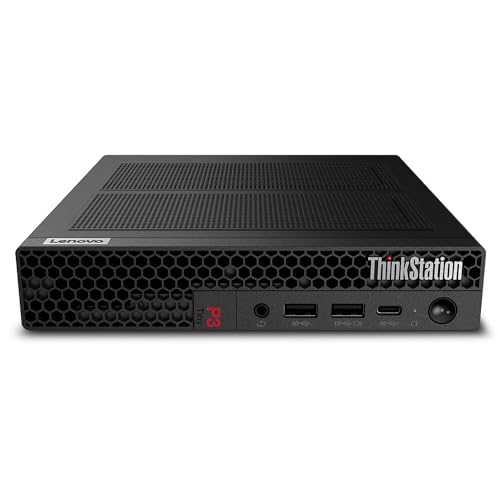
Real-world use cases
Expandability and upgrade strategies

Pros and cons (technical view)
Pros:
Cons:
Final verdict
The ThinkStation P360 Tiny in this configuration is a compelling option for professionals who need a balance of CPU performance, modern I/O, and a very small physical footprint. It beats consumer mini-PCs on manageability and business features, and it is significantly smaller and quieter than tower workstations. However, organizations or users who depend on heavy GPU compute, large in‑machine memory, or multiple internal drives should consider a small tower workstation or remote GPU solutions.
When comparing total cost of ownership, the P360 Tiny often wins for office-dense deployments and hybrid work setups due to its manageability, low power draw, and space savings. For creatives and engineers with GPU-heavy pipelines, factoring in the cost of external GPUs or render nodes will help determine whether a tower or cloud-based GPU approach is a better fit.
Overall, it is a practical, well-rounded tiny workstation tailored to modern professional desktops where physical space, quiet operation, and connectivity are top priorities.
FAQ
Yes — the i5-12500 and 16GB DDR5 RAM allow running several light to medium VMs simultaneously. For heavy VM workloads or many concurrent containers, upgrading RAM to 32GB is recommended; verify available memory slots on the unit before purchasing upgrades.
Iris Xe handles basic to moderate video editing (1080p and light 4K timelines) and hardware-accelerated encoding/decoding very well. For complex timelines, motion graphics, or GPU-accelerated effects, a discrete GPU or external GPU enclosure will provide far better performance.
Compared with typical NUC-class PCs, the P360 Tiny offers more business-focused features (Windows 11 Pro, manageability), more high-speed USB ports, and generally better cooling for sustained workloads. NUCs often prioritize thin-and-light designs for consumer use, while the P360 Tiny targets professional stability and serviceability.
Yes. The Tiny form factor is designed for flexible mounting including VESA brackets or monitor-underside mounting, which makes it ideal for space-constrained desks or kiosk setups.
Internal NVMe storage can be upgraded to larger PCIe x4 SSDs; memory upgrades depend on the internal DIMM layout and maximum supported capacity for the specific chassis. For significant expansion, external USB/Thunderbolt drives, NAS, or network storage are practical alternatives.
Absolutely. With Windows 11 Pro, modern network cards, and Lenovo’s enterprise-grade design, it supports common enterprise management workflows, remote security policies, and centralized update strategies. Its small footprint helps in dense office rollouts.