Razer Core X V2 External Graphics Enclosure (eGPU)

Add to compare
Budget Buy
Product is rated as #2 in category Computer Accessories & Peripherals
9.4
Set Lowest Price Alert
×
Notify me, when price drops
Set Alert for Product: Razer Core X V2 External Graphics Enclosure (eGPU): Compatible with Windows 11 Thunderbolt 4/5 and USB 4 Laptops & Devices - 4 Slot Wide NVIDIA/AMD Graphics Cards PCIe 4.0 Support - 140W PD via USB C -

$0.00

Already Sold: 15%
Best deal at: amazon.comAmazon.com
Best UK Price
Performance Boost9.5
Compatibility9.2
5
Build Quality9.6
Ease of Setup9.3
Value for Power Users8.9

Desktop GPU Power. Laptop Freedom.
Plug in full-size NVIDIA or AMD graphics (up to 4-slot) and unleash up to 80Gbps Thunderbolt 5 performance. Works with Thunderbolt 4/5 and USB4 devices. Tool-free upgrades, active cooling, 140W charging — instant power boost when you need it.

GPU & PSU sold separately. Not supported on Mac M1 or newer.

Brand:
Product details regularly updated for accuracy.

Last updated: 08/03/2026

Brand: Razer
Last updated on March 4, 2026 10:26 pm
Razer Core X V2 External Graphics Enclosure (eGPU)

Price History

-

Description

9.4Expert Score
Razer Core X V2 External Graphics Enclosure (eGPU)
Turn Any Laptop Into a Desktop Beast – Razer Core X V2 Delivers Serious Power
The Razer Core X V2 is the ultimate plug-and-play performance upgrade for Thunderbolt laptops and USB4 devices. With next-gen Thunderbolt 5 speeds up to 80 Gbps, support for massive 4-slot NVIDIA and AMD GPUs, and 140W Power Delivery, this enclosure transforms portable machines into full-scale gaming and creative workstations in seconds. Clean design, serious cooling, and modular flexibility make it one of the most powerful and future-proof eGPU enclosures available today.
Performance Boost
9.5
Compatibility
9.2
5
Build Quality
9.6
Ease of Setup
9.3
Value for Power Users
8.9
PROS
  • Supports full-size 4-slot NVIDIA GeForce and AMD Radeon GPUs
  • Thunderbolt 5 bandwidth up to 80 Gbps for elite performance
  • 140W Power Delivery via USB-C charges your laptop while gaming
  • Compatible with Thunderbolt 4, Thunderbolt 5, and USB4 devices
  • Tool-free GPU and ATX PSU installation
  • Strong vented steel chassis with active 120mm cooling
  • Future-proof PCIe 4.0 support
  • Clean, minimal Razer industrial design
CONS
  • Graphics card and power supply sold separately
  • Large footprint compared to compact docks
  • Mac devices with M1 or later chipsets not supported
  • Premium price compared to basic eGPU enclosures
1

Core X V2 Product Trailer

Razer Core X V2 | Mobility Meets Desktop Performance

Prime your laptop for desktop graphics and gaming performance with the Razer Core X V2—a next-gen external graphics ...
Razer Core X V2 External Graphics Enclosure (eGPU) mini PC | Urivio
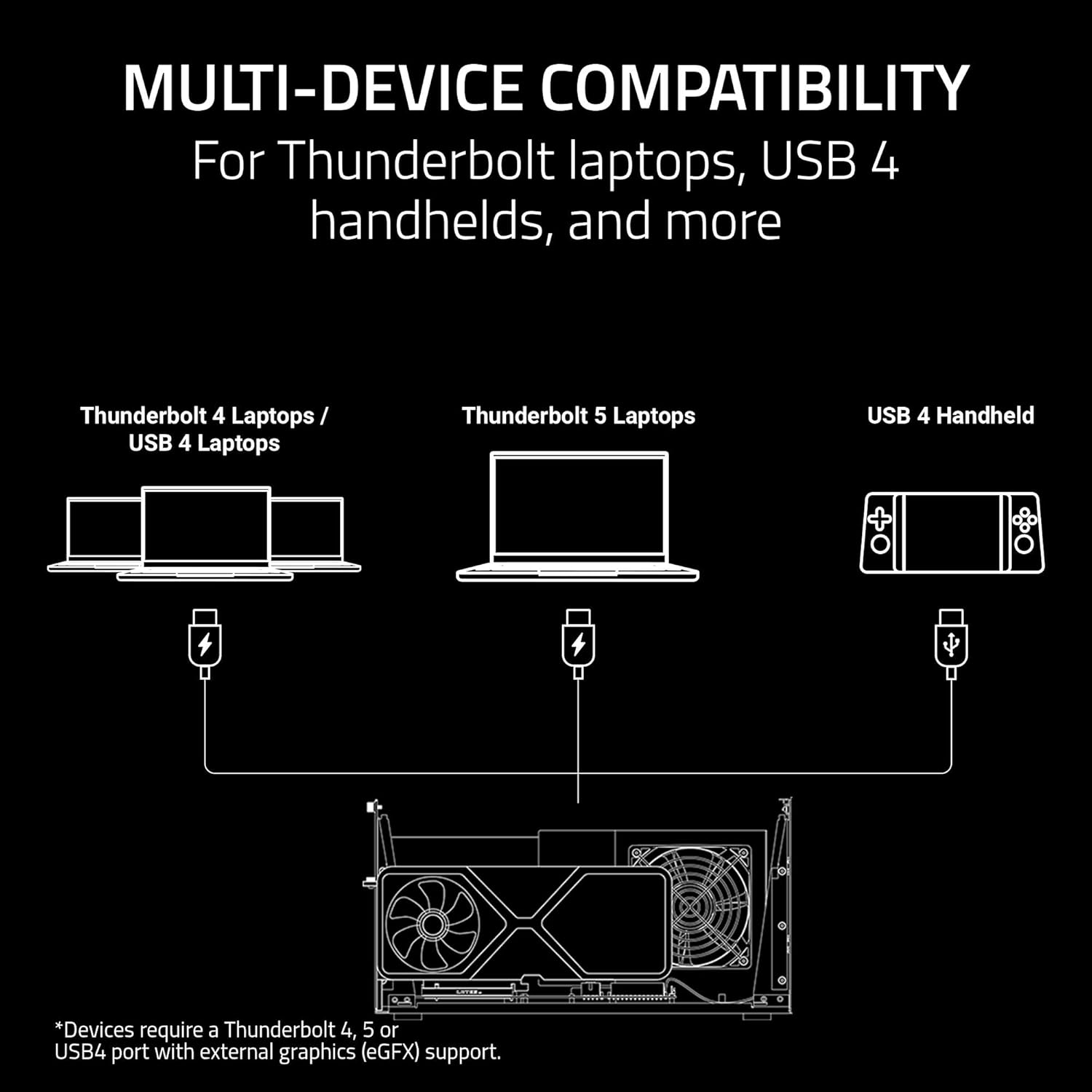
  • What devices are compatible with the Razer Core X V2?

    Check with your device manufacturer to ensure eGPU support for Thunderbolt 4 and Thunderbolt 5 laptops and select USB4 gaming handhelds/devices.

    ✓ Independently Tested Check Today's Price →We may earn a commission — this does not affect our scores.
  • What graphics cards and power supplies are compatible with the Razer Core X V2?

    📋 Free: Mini PC Buying Cheatsheet The 7-question framework we use to pick the right mini PC. Instant download.
    Get Free Cheatsheet →

    The Razer Core X V2 is compatible with most PCIe desktop graphics cards from NVIDIA and AMD up to 4-slots wide. The power supply bay supports standard ATX desktop power supplies.

    Graphics cards and power supplies are sold separately.

  • Does the Core X V2 come with a graphics card or power supply?

    No, the Razer Core X V2 is a modular design for users to connect the latest graphics card of their choice and optimal power supply to support their desired graphics card.

  • Do I need to reboot my laptop or device when I connect to the Razer Core X V2?

    No, the Core X V2 is plug and play. There is no need to restart your device when connecting the Core X V2 to your device.

  • How much power can the Razer Core X V2 deliver?

    The Razer Core X V2 can supply up to 140W of power to your device via the Thunderbolt port.

Technical Specifications

Dimensions 16.59” x 8.51” x 7.76” / 421 mm x 216 mm x 197 mm
Weight 8.64 lb / 3.9s kg
Connection to PC Thunderbolt 5 cable included
Compatible Devices Laptops and other devices require a Thunderbolt 4, Thunderbolt 5 or USB 4 port with external graphics support. Please check with your laptop or device manufacture to confirm if your laptop supports external graphics.
Internal Dimensions Length: 362.7 mm Height: 82 mm Width: 185.1 mm * Height measured from top of PCIe connector to the bottom of the locking pin ramps.
System Requirements Windows 11 or Windows 10 OS and Thunderbolt 4, Thunderbolt 5 or USB 4 port and eGPU compatibility
GPU Support Supports up to 4-Slot wide, full-length, PCI-Express graphics cards. *Graphics card (GPU) sold separately
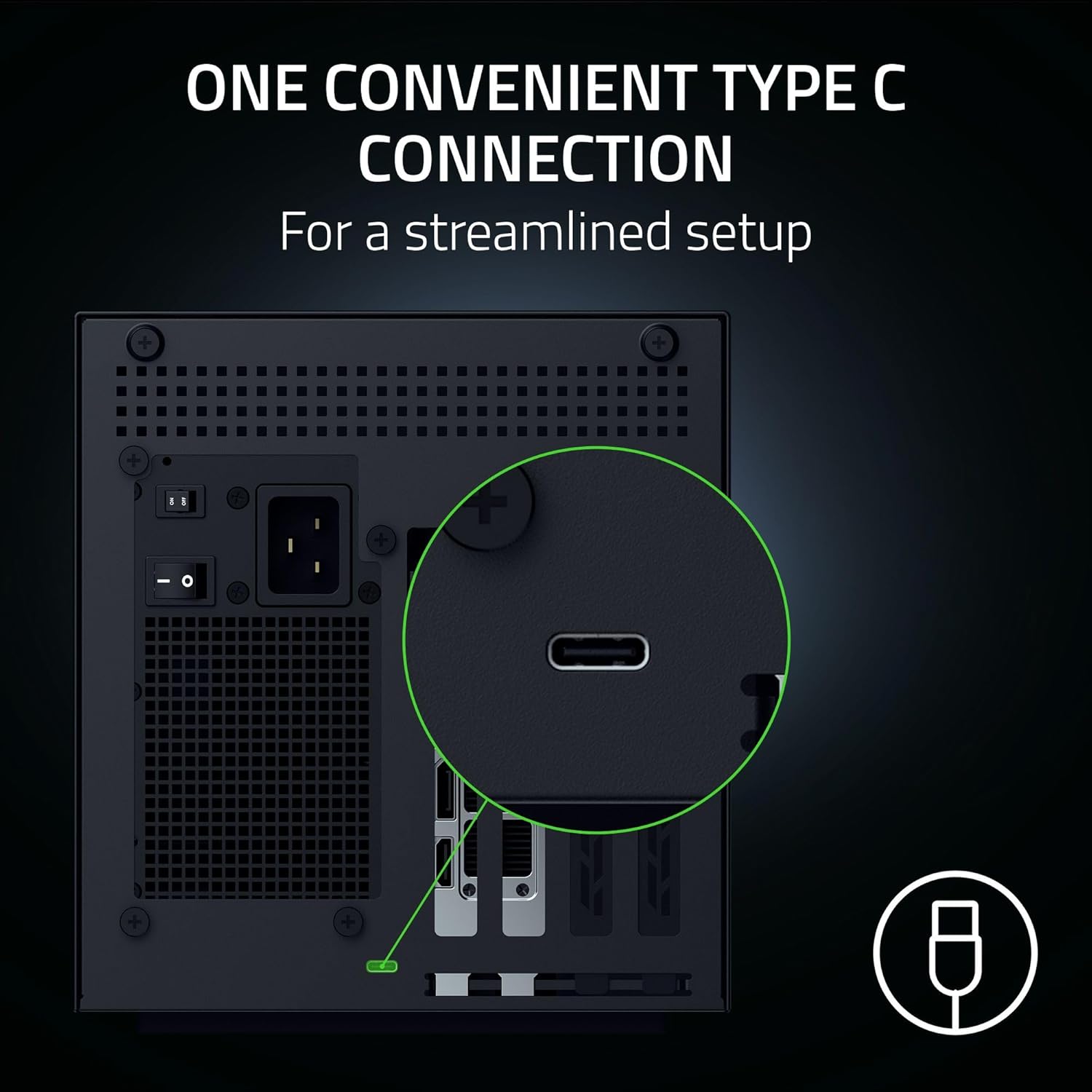
Input & Output Thunderbolt 5(USB C) for connection to compatible Thunderbolt 5, Thunderbolt 4 or USB 4 device
Power Supply Supports standard ATX PSU sizes *Desktop ATX Power Supply sold separately
Laptop Power Delivery Up to 140 Watts via USB-C
Included Cables Thunderbolt 5 Cable (1.0m)

Product Description

The Razer Core X V2 graphics enclosure turns compatible Thunderbolt 5, Thunderbolt 4 or USB 4 Windows laptops and compatible gaming handhelds into desktop-class gaming or content creation powerhouses. A single provided cable to the device connects to your setup to PCIe graphics cards from NVIDIA or AMD, up to 4-slots wide and is designed to support any standard size ATX power supply you choose to install. The Thunderbolt 5 connection offers 140W power delivery to compatible laptops via USB-C and is up to double the bandwidth of Thunderbolt 4. Keeping things cool is a 120mm fan that can automatically adjust its speed based on the enclosure temperature. Advanced users can even create custom fan profiles via Razer Synapse. For best performance connect your host device your desired GPU and use an external monitor connected to the GPU as a secondary display. Updating the manufacturer graphics drivers will be your best bet to ensure the best performance. Once you connect Core X V2 to your host device no restart should be required. Unlock desktop graphics through a single cable with the ultimate external graphics enclosure. Graphics card and power supply sold separately. Mac devices with M1 or later chipsets do not support eGPUs.

Brand ‎Razer
Series ‎Razer Core X V2
Item model number ‎RC21-02270200-R3U1
Hardware Platform ‎PC
Item Weight ‎11.13 pounds
Product Dimensions ‎16.59 x 7.76 x 8.51 inches
Item Dimensions LxWxH ‎16.59 x 7.76 x 8.51 inches
Color ‎Black
Number of Processors ‎1
Manufacturer ‎Razer
ASIN ‎B0FFQFDZWX
Date First Available ‎September 18, 2025
Please note: Product details may change.
Urivio
Reviewed by
Urivio
Mini PC hardware, Linux, AI inference · 4 years

Additional information

Specification: Razer Core X V2 External Graphics Enclosure (eGPU)
Brand

Razer

Dimensions
BrandRazer
Case TypeDesktop
Recommended Uses For ProductGaming
ColorBlack
MaterialAlloy Steel
Power Supply Mounting TypeRear Mount
Cooling MethodAir
Model NameRazer Core X V2
Item Weight5.06 Kilograms
Product Dimensions16.59"D x 7.76"W x 8.51"H

Razer Core X V2 External Graphics Enclosure (eGPU) Videos

Urivio
Logo
Compare items
  • Total (0)
Compare
0
Shopping cart