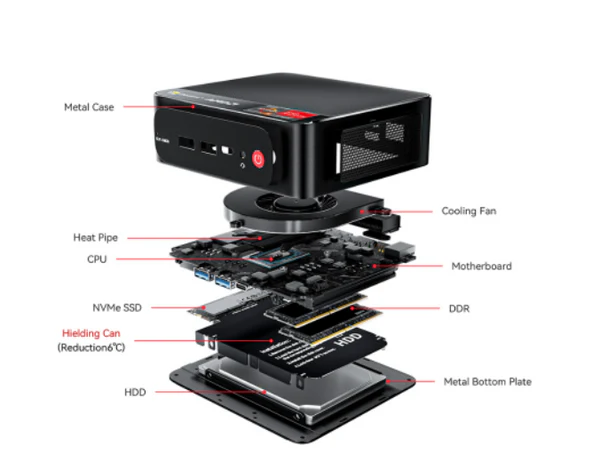
The BMAX B1 Pro mini PC features an Intel Celeron J4125 processor. While affordable at under £150, its performance is significantly below modern Intel N100 mini PCs in both CPU throughput and power efficiency. For current budget buyers, the Beelink EQ12 Pro (Intel N100, ~£170) delivers substantially better performance at a comparable price.
Bmax B1 Pro Mini PC Review — Intel N4000, 8GB/128GB, M.2, 4K Dual-Display & Dual-Band WiFi
Introduction & Brief Overview
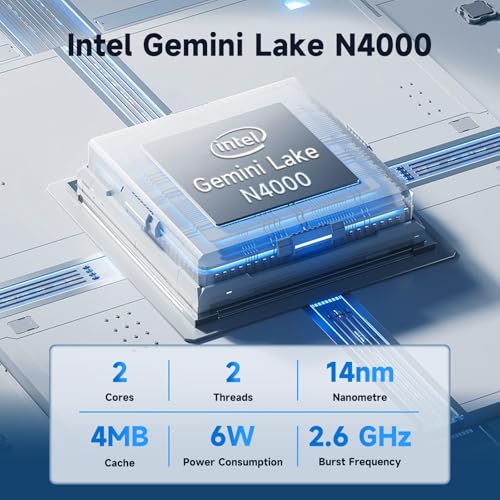
The Bmax Mini PC B1 Pro is a compact desktop from Bmax aimed at home and office users who need a small, quiet, and inexpensive Windows PC for everyday tasks. It ships with Windows 11 Pro and is powered by an Intel Celeron N4000 (Gemini Lake) dual‑core processor with burst speeds up to 2.6 GHz. With 8 GB LPDDR4 RAM and 128 GB eMMC onboard storage (plus an advertised M.2 expansion slot), the B1 Pro positions itself as an affordable mini desktop for web browsing, productivity, light multimedia, remote desktop work, digital signage and e-learning.
Appearance, Materials & Design
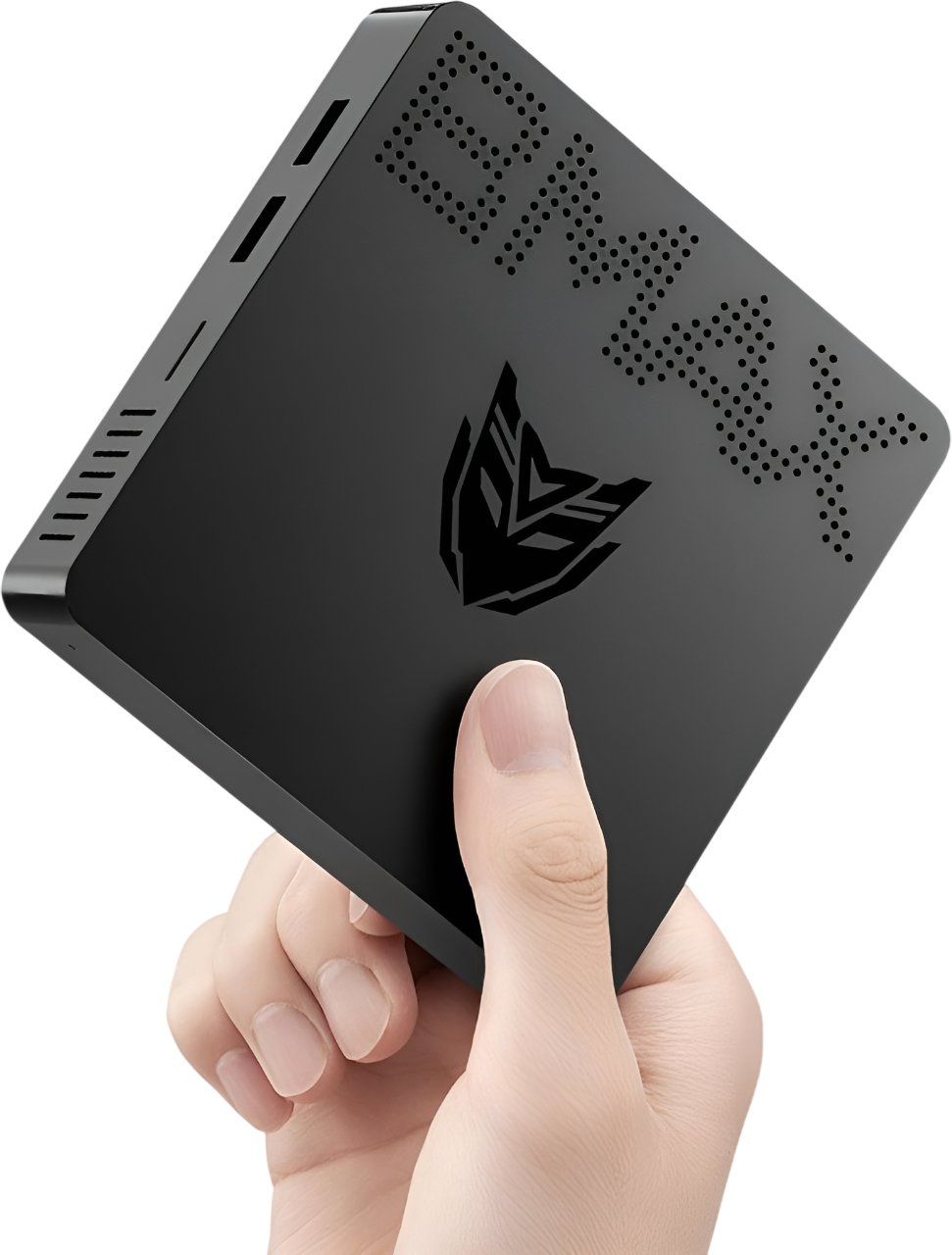
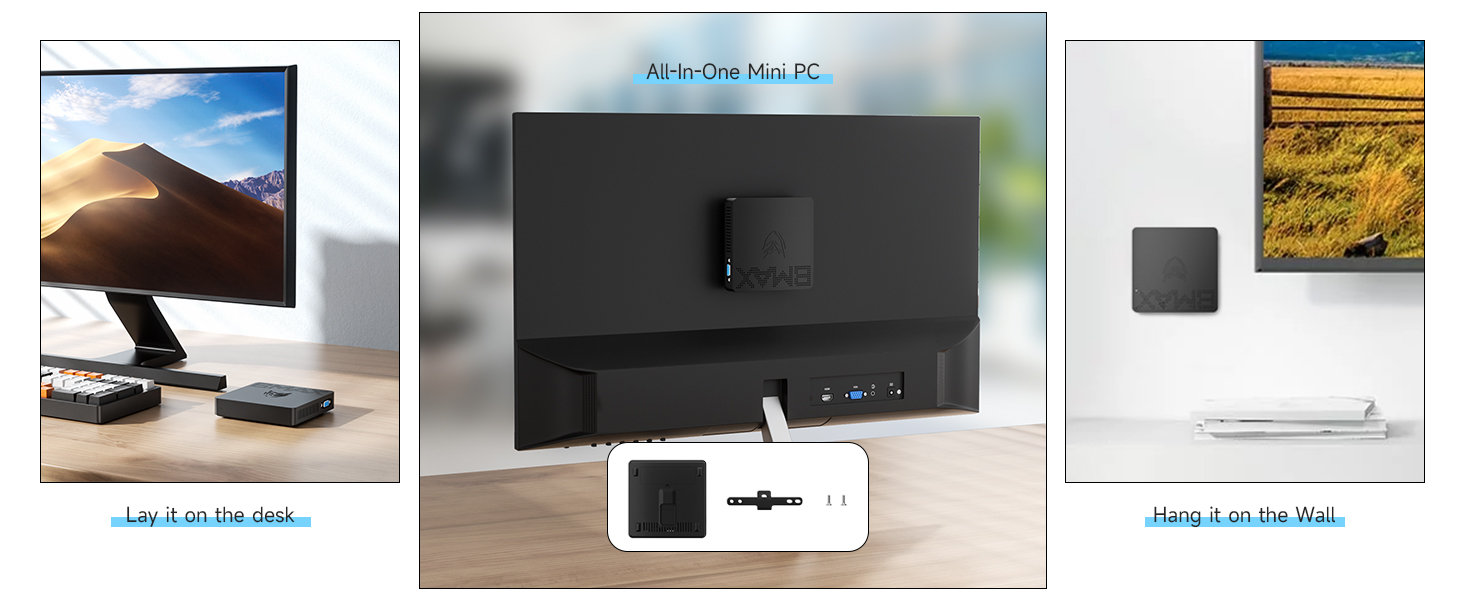
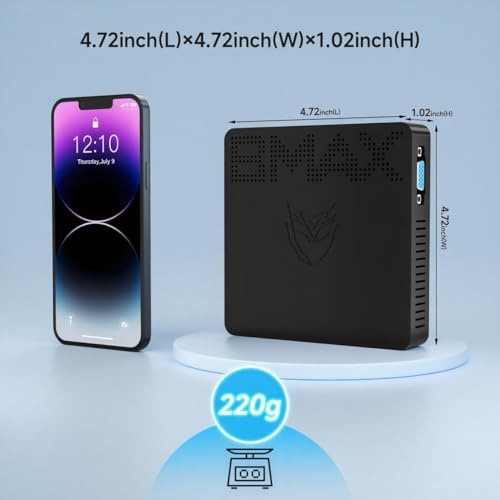
Physically the B1 Pro is very small and purposeful: a slim, square chassis roughly 4.7″ × 4.7″ × 0.9″ according to the product description. The enclosure is a matte plastic shell with subtle venting and a low-profile footprint designed to sit on a desk or be mounted behind a monitor with the included VESA bracket. The overall aesthetic is utilitarian and minimal — it won’t draw attention, which is ideal for office, classroom or living-room setups.
Notable design elements:
VESA mount included for attaching the unit behind monitors or TVs to create a tidy all-in-one appearance.
Fanless (passive) cooling design that uses an internal heatsink for silent operation — useful in noise‑sensitive environments.
Multiple legacy and modern ports (HDMI + VGA) to support older displays as well as a 4K-capable HDMI output.
Key Features & Specifications
Processor: Intel Celeron N4000 (dual‑core, up to 2.6 GHz)
Graphics: Intel UHD Graphics 600 (integrated)
Memory: 8 GB LPDDR4 (2133 MHz)
Storage: 128 GB eMMC onboard; M.2 slot for SSD expansion (manufacturer mentions M.2 2280 SATA; other materials reference expansion up to 512GB/2TB — see notes below)
Ports: 2× USB 3.0, 2× USB 2.0, 3.5mm audio jack, Gigabit Ethernet
Wireless: Dual‑band Wi‑Fi (2.4/5 GHz, 802.11a/b/g/n/ac) and Bluetooth 4.2
OS: Windows 11 Pro preinstalled
Cooling: Fanless passive cooling for silent operation
Dimensions & weight: Listed as ~4.7″ square and 8.5 ounces in description; product specs show item weight 1.23 pounds — there is an inconsistency (see notes)
Price at time of review: $169.99 (manufacturer listing)
Important notes on specifications and ambiguities
The product page contains a few contradictory details you should be aware of before buying:
Storage expansion: some listings mention M.2 expansion up to 512 GB / 2 TB, while the detailed description references an M.2 2280 SATA slot (up to 1 TB). It is not guaranteed whether NVMe PCIe M.2 drives are supported — verify the drive interface (SATA vs NVMe) with the seller if you plan to install a specific SSD.
Weight: the description states “weighing only 8.5 ounces,” but the specifications list 1.23 pounds. Either way it is very light, but expect some variation depending on included accessories (VESA bracket, power adapter, packaging).
Real-World Experience & Usage Scenarios
Day-to-day office and productivity
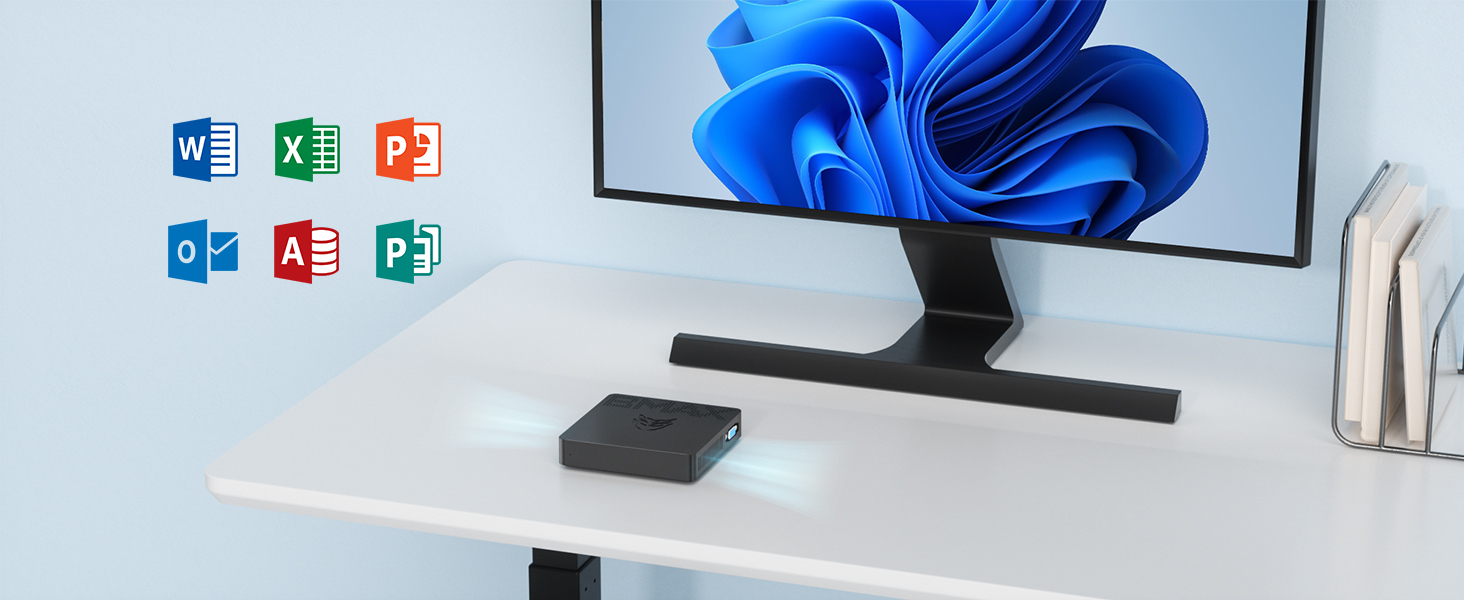
For standard office work — email, Office apps (Word, Excel, PowerPoint), web-based CRMs, and light multitasking — the B1 Pro is competent. The N4000 and 8 GB of RAM can handle several browser tabs and office documents simultaneously, though complex web apps with many JavaScript-heavy tabs will start to feel sluggish. The preinstalled Windows 11 Pro keeps setup straightforward.
Web browsing and remote work
Web conferencing and remote desktop use are feasible. Expect to run single video calls fine (Zoom/Teams at 720p or 1080p depending on bitrate), but multiple simultaneous conference feeds or local video encoding will push the CPU. Users in the product reviews report success connecting to CRM systems and multiple websites, which aligns with typical usage here.
Dual-display & productivity workflows
The dual-output setup (HDMI + VGA) is a strong point for productivity: you can run a main 4K monitor on HDMI (likely at 4K/30 Hz) and a secondary 1080p display on VGA for reference windows. For spreadsheet work, email and browser-based multitasking, this configuration is very useful. Don’t expect seamless multi-4K performance; the integrated UHD 600 is modest and typically limited to 30 Hz at 4K.
Media playback & HTPC use
Single-stream 4K media playback (e.g., local 4K video or some streaming services) should work, but because of the modest GPU and possible 4K/30 Hz HDMI limitation, the experience won’t match modern Intel U-series or Ryzen APUs. For Full HD streaming and general media consumption it’s perfectly adequate.
Storage, upgrades & software
The onboard 128 GB eMMC is fine for OS and light storage but fills quickly. The inclusion of an M.2 slot for expansion is valuable — however, clarify whether the slot supports SATA M.2 or NVMe (PCIe) drives before buying a specific SSD. RAM is likely soldered (typical for mini PCs in this class), so 8 GB is the maximum in practice.
Thermals and noise
The fanless design delivers silent operation, which is excellent for living rooms, bedrooms, classrooms, or offices. The trade-off is thermal headroom: under prolonged heavy load the N4000 may throttle to keep temperatures in check. For the target use cases (office apps, browsing, light streaming), this is rarely an issue.
Networking and peripherals
Dual-band Wi‑Fi AC, Bluetooth 4.2 and Gigabit Ethernet provide flexible connectivity. The two USB 3.0 ports are convenient for external drives and faster peripherals, while the two USB 2.0 ports cover keyboards, mice and low-bandwidth accessories.
User Feedback (selected)
“Great to work online. I’m very pleased with the purchase. The machine works perfectly… I also have two monitors connected, one via HDMI and the other via VGA.”
— Verified user review
“Decent but slow. Pretty decent for the price, but runs a bit slow tbh.”
— Verified user review
Pros and Cons
Pros
Very compact and lightweight; VESA mount included for tidy setups.
Fanless design — completely silent in operation.
Dual display support (HDMI 4K + VGA 1080p) is useful for productivity.
Preinstalled Windows 11 Pro and Gigabit Ethernet make it ready for business use.
Dual-band Wi‑Fi (2.4/5 GHz) and Bluetooth 4.2 provide modern wireless connectivity.
Affordable price point for basic desktop needs (~$169.99).
Cons
Processor (Intel N4000) is entry-level — not suited to heavy multitasking, modern gaming, or content creation.
Onboard 128 GB eMMC is slow and limited; storage upgrades are necessary for larger libraries or heavy local work.
Potential ambiguity around the M.2 slot interface (SATA vs NVMe) — buyers should confirm before purchasing upgrades.
Possible thermal throttling under sustained heavy load due to passive cooling.
Some spec inconsistencies (weight and expansion limits) appear across listings — check product details from seller.
Conclusion
The Bmax Mini PC B1 Pro is a sensible, budget-friendly mini desktop for users who need a compact, silent, and inexpensive Windows machine for everyday tasks: office work, web browsing, remote desktop, single‑stream media playback, and digital signage. Its strengths are its small footprint, fanless operation, VESA mount option and dual‑display capability. At around $169.99 with Windows 11 Pro preinstalled, it offers good value for users with modest performance needs.
However, the N4000 is an entry-level CPU and the 128 GB eMMC will quickly show its limits — if you rely on many browser tabs, heavy web apps, local media libraries, or any CPU/GPU intensive tasks, you should consider a more powerful model or plan to upgrade storage (after confirming M.2 compatibility). The B1 Pro is best thought of as a capable thin client or second machine for productivity and media, rather than a replacement for a full‑featured desktop.
Recommendation
Buy the Bmax B1 Pro if you need an affordable, quiet mini PC for light-to-moderate productivity, classroom or kiosk use, especially when space is limited and dual displays are desired. If you need heavier multitasking, desktop-grade performance, or large fast local storage, look at mini PCs with faster processors (Intel U-series or Ryzen) and NVMe storage support.
Price: $169.99 | Warranty: 12 months (manufacturer)